Categories
Programming Hues Python Dairies

4 Undeniably Important Data Structures In Python

Welcome Python-ers !! 😀 Lets get started with Python Data Structures. Here we will talk about what are Data Structures in Python ? How these works ? and how are these used ? Also, If you haven’t seen the previous post, you should surely give it a Look !!

1. List : (This could help you make your shopping list too ;D )

Imagine you have to purchase an article, what will you use to store it ? A variable will solve your problem. But what if you have 10 articles to be purchased ? Well, in that case will you use 10 variables ? Also, if the number of articles becomes 100 ? Thus, List gives us a new way to store these sought of large count of articles, under a same roof.

List is a collection that is used to store a number of values.(this could be int, float or any other data type). It is as simple as creating an Array and storing values in it. Let’s see the way to use it.

my_shopping_list=["clothes","milk","eggs"]

It could be a simple list of Integers. like –

integers=[1,2,3,4,5]

Now, how to get the values from these lists, for that we use Index. The first element has the index 0, the second one has its index 1 and so on.

The code in Python used to get the elements of the List is :

my_shopping_list=["clothes","milk","eggs"]
print(my_shopping_list[0])     #clothes
print(my_shopping_list[2])     #eggs

Also, to add the elements in the List, we have a method append, this is used in Python as :

my_shopping_list.append("vegetables")   #my_shopping_list=["clothes","milk","eggs","vegetables"]

Here the “vegetables” is added to the my_shopping_list, after the last element of the given list. It is super simple to use append by giving the element to be added as the parameter to the append method.

2. Dictionary : (give me the Key, I will give you the Value 😀 )

We have learned about indexing on Lists via numbers but what if we don’t have to use numbers, like if we want to store the quantity of the element along with the name of the element of my_shopping_list; for these purposes we can use the Dictionary Data Structure.

Dictionary is a collection of key – value pairs. This can be visualized as :

dictionary_ex={
"key1" : "value1",
"key2" : "value2"
}

#Example of Dictionary
details_dict={
"name":"Sheena",
"nickname":"Shiya"
}

#to print dictionary element 
print("My name is %s" %(details_dict["name"]))     #this prints the name saved in dictionary

The dictionary values are accessed by the keys and the advantage is; it can have any data type element as its value.

3. Tuple : (You can’t change me, because I am a Tuple 😀 )

Tuples are similar to the Python lists except they are immutable i.e. they can’t be changed. Tuples are represented by Parenthesis. Growing and Shrinking of Tuples doesn’t take place as they can’t be changed.

Tuples are used where functions require a fixed set of values which are not to be changed. Tuples can be visualized as :

integer_tuple=(0,1,2,3)
text_tuple=("mango","Sheena","eggs")

#to print element of tuple
print("I like %s"%(text_tuple[0]))

here the tuple element is printed, this is done same as the list elements are addressed and printed; by the help of Index.

4. Set : (I am always unordered 😀 )

Sets are unordered collection of unique objects. Sets are iterable, mutable and supports no duplicate elements. Sets use parenthesis, for it’s representation. It also uses operations like Union(|), intersection(&), difference(-) etc.

Sets are used over lists whenever we need to check whether a specific element is present in it or not. Sets can be visualized as :

set_1=(set(["a","b","c"]))

but we cannot address elements of Sets through index, as there is no order in a Set.

However, we can loop through in every built-in Data Structure of python. These Data Structures are quite useful in building Python Applications, Competitive Programming etc. and are also used to write Program with a limit to lines of code.

So, That’s it for the day !! 😀 Till then have fun keep learning and keep coding !! 😀
Categories
Programming Hues Python Dairies

How To Learn Python In A Better way

Python being a popular shot now-a-days and is easy in context with the syntax of it. It is one of the best paid programming languages in today’s era. Python is one of my favourite languages and I am sure, you will enjoy learning python to a great extent.

However, learning new language and getting through new concepts of that language is not easy. I know that everyone assumes this syntax eating as an overwhelming procedure. But first of all, Congratulations !! 😀 for choosing Python as your new target. Python will definitely help you in tweeking Technology and creating Magic 😛 So lets jump in !!

What is Python ?

Python is an interpreted, interactive, object – oriented high level language. It was developed by Guido van Rossum and was named after a British comedy group Monty Python. Python’s presence in the world is everywhere, Python is used in building and maintaining some really popular sites and apps like Instagram, Dropbox, Quora, and Youtube.

To know more about what exactly you can do with Python switch to the “Why is Python worth learning this Year”. You will find great applications of python there.

Install Python and Get ready !!

Python is free and open – source software, that works on various platforms including Mac, Linux and Windows. It comes installed in Mac and Linux. Also, in HP laptops we have python installed with Windows.

You can install the latest version of python from here. For detailed installation procedure, you can click here.

After installing Python, you will have an interactive shell and an IDLE (named after Monty Python’s Eric Idle) to code in python. The shell is less powerful then IDLE, but is useful to try one-line code statements. IDLE can do the work of shell, but also allows you to write multiple lines of code, that can be saved as a script and executed later. It allows code reusability.

I have a Plan to code !!

In my thought, learning python is similar to riding a Bike, you will have to accelerate but will enjoy the journey there after. To code a problem, you will be in need of a Plan, by plan I mean, you will have to build the logic and then through syntax you can make it working. Thus, work hard on your logic building and that will give you the ability to figure out the plan to solve a given problem. So, lets learn to have a plan !!

without a plan on how to solve problem, you will be like Elmo !! 😀

Lets get started with Python !!😀

The Basics :

  • Variables – Variable is just a value stored in a memory cell which is named by a word. The value can be an integer, boolean (True / False), strings, float, and so many other data types. This can be seen by a simple example.
one=1
bool_val=True

here one is the word (it is a name given to a memory cell) and 1 is an integer and bool_val is a boolean variable storing True.

  • Conditional Statements – “if”, “elif”, “else” are conditional statements.
    • The if statement uses an expression to evaluate whether the given statement is True or False, then it executes the code which is indented inside the ‘if’ block, if the statement evaluates to True.
    • The elif statement is used for checking upon further statements, If the statement in ‘if’ evaluates to False, then ‘elif’ condition is checked, If it evaluates to true the code in ‘elif’ block gets executed.
    • The else statement is used when all the conditions of ‘if’ and ‘elif’ evaluates to False. The code in ‘else’ block gets executed whenever the conditions in ‘if’ and ‘elif’ statements becomes False.
    • The simple examples of Control Flow Statements are :
if True :
    print("I am in if block.")        

Code in the ‘if’ block executes as the condition is true.

if 6>7 :
    print("The if block.")            
elif 7>6 :
    print("The elif block.")          

The ‘if’ statement evaluates to False, then ‘elif’ statement is checked which evaluates to True, hence the code block indented after ‘elif’ statement gets executed.

if 6>7 :
    print("The if block.")            
elif 5>7 :
    print("The elif block.")          
else :
    print("The else block.")          

The ‘if’ and ‘elif’ statement evaluates to False, then ‘else’ statement is checked which evaluates to True, hence the code block indented after ‘else’ statement gets executed.

  • Loops / Iterator – In python we iterate by : “for” and “while”.
    • while looping : the while loop means while the condition is true, the code inside the block is executed. So the example below prints numbers from 1 to 5.
    • for looping : the for loop uses an iterating variable and then for every iteration the for code block executes. The for block iterates the iterating variable. The below code will print numbers from 1 to 5.
num=1
while num <=5 :                             
    print(num)
    num=num+1

The indented code gets executed, until the while condition evaluates to True.

for i in range(1,6):                        
    print(i)

Here, in for loop we have ‘i’ as iterating variable, and range function is used to iterate it from 1 to 5.

Yeah!! Let’s Celebrate, we are done for today !!

We have learned a lot today, Go and throw a small party for yourself 😀 , In the next post, we will talk upon Python Data Structures. Till then have fun !!, shower your likes and comments upon this post. Also, give it a loud share 😀 .

Also, you can find “Dare to Learn” on Instagram and Facebook for more interesting stuff 😀 .

Categories
Programming Hues Python Dairies

Why is Python worth Learning in 2020

Python is a Programming Language which is gaining popularity exponentially. I myself was a Java person, but lately I am loving Python. Python is everywhere, the applications of python are covering a huge domain and solving a lot of problems. Also, Instagram, Spotify and Quora all have python in their backend web development. So, definitely go with learning Python and may be some day you will be a Python Developer or may be a Data Scientist !! 🙂

Why Python ?

But why should I learn Python ? Is learning Python worth it ? ; If you are thinking to expand your skillset or you are a beginner in programming, then go for learning Python. For me the first reason I started learning Python was ; it is simple in regards to syntax like code comes naturally, just like writing an algorithm or set of instructions in English. And the second reason was its super versatile, It has a huge range of Libraries and Modules that can be used for a whole lot of applications.

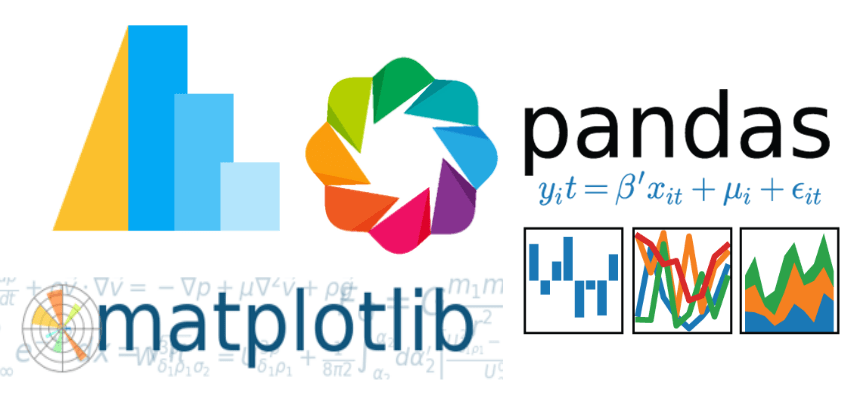
Python has a huge range of Libraries

What can exactly be done by Python ?

Python has a huge application base. But over time I have observed these 3 applications of Python :

  • As a Scripting Language : Scripting Languages are used to automate simple Tasks, like sending bulk mails and analyzing emails on the basis of some keywords. This can be easily done by the help of Python. Also, Next time when laziness strikes to you try writing small script of python to automate your task:D.
  • Data Science and Machine Learning : Machine Learning, the word itself is intimidating. However, Machine Algorithms can be easily implemented by the help of Python Libraries(Tensorflow and scikit-learn are quite popular for this). Python can be used for Data Visualization and Data Analysis too. The libraries like matplotlib can be used for the same.
  • Web Development : Web Frameworks like Django and Flask are quite popular now-a-days. These help in creating backend code, that runs server – side. You can choose any one of them to just get started.

There are more applications of Python Language, like we can use PyGame library to develop games. We can also build embedded applications with Rasberry Pi.

But what to learn ; Python 2 or Python 3 ?

Python 3 is more appropriate as its more new and more modern. I would suggest going with Python 3 over Python 2.

So, we had a lot of Python talk right now !! :D. Let’s take this conversation ahead; Show your love for python, comment down 😀 if I have missed upon something about python. Also, don’t forget to like it, share it, let me know your views upon it.

Design a site like this with WordPress.com
Get started